Traditional patching has always been a challenge for IT teams. Manual update workflows, fragmented scheduling, and inconsistent device readiness often lead to delays, failed updates, or worse, security vulnerabilities. Managing patching at enterprise scale consumes valuable time and introduces operational risk.
Windows Autopatch addresses these challenges by automating the update process using cloud orchestration. Built on top of Windows Update for Business (WUfB), Autopatch adds intelligent controls, structured rollout phases, and integrated reporting. It enables IT teams to ensure timely, reliable, and secure update deployment with minimal hands-on effort.
With increasing pressure to reduce cyber risk and improve IT efficiency, Autopatch represents a significant shift toward resilient, automated endpoint management.
What Windows Autopatch Is and How It Works
Update Rings: Structured Deployment
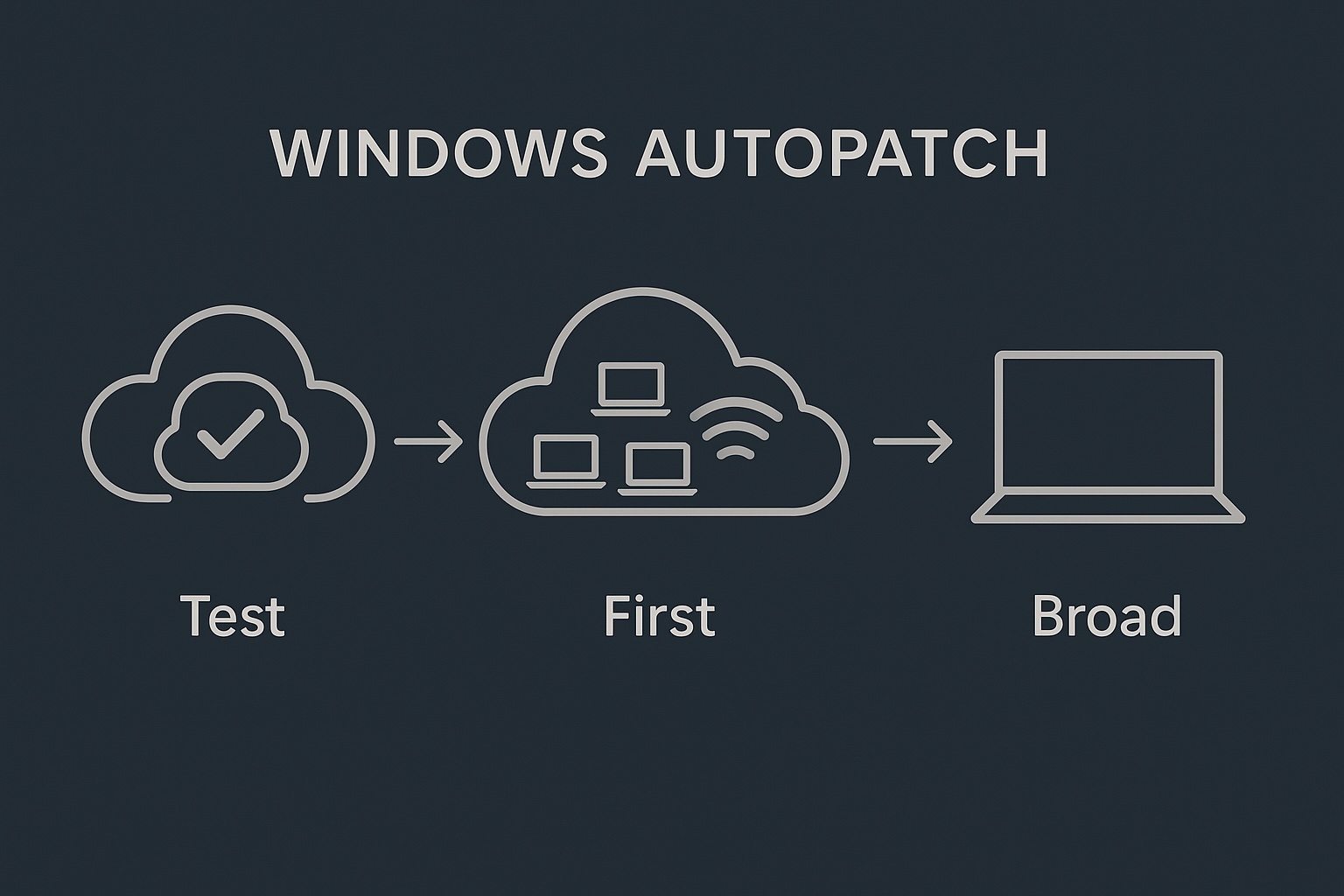
Autopatch uses four deployment rings – Test, First, Fast, and Broad, to phase updates across the organization. Each ring represents a progressively larger device population:
- Test: Internal IT devices used to validate updates in controlled environments.
- First: Early adopters or pilot groups.
- Fast: A larger cohort, including frontline teams.
- Broad: The remainder of the organization.

Phased Rollout with Built-In Intelligence
Autopatch uses Windows telemetry and service health data to inform rollout decisions. Updates progress through rings only when success criteria are met, reducing risk of widespread impact from faulty updates.
Guardrails and Rollbacks
Autopatch includes pause conditions and rollback logic. If devices in a ring report excessive failure rates, the rollout halts or rolls back automatically. This built-in intelligence is critical for maintaining stability across diverse environments.
Driver and Firmware Update Control
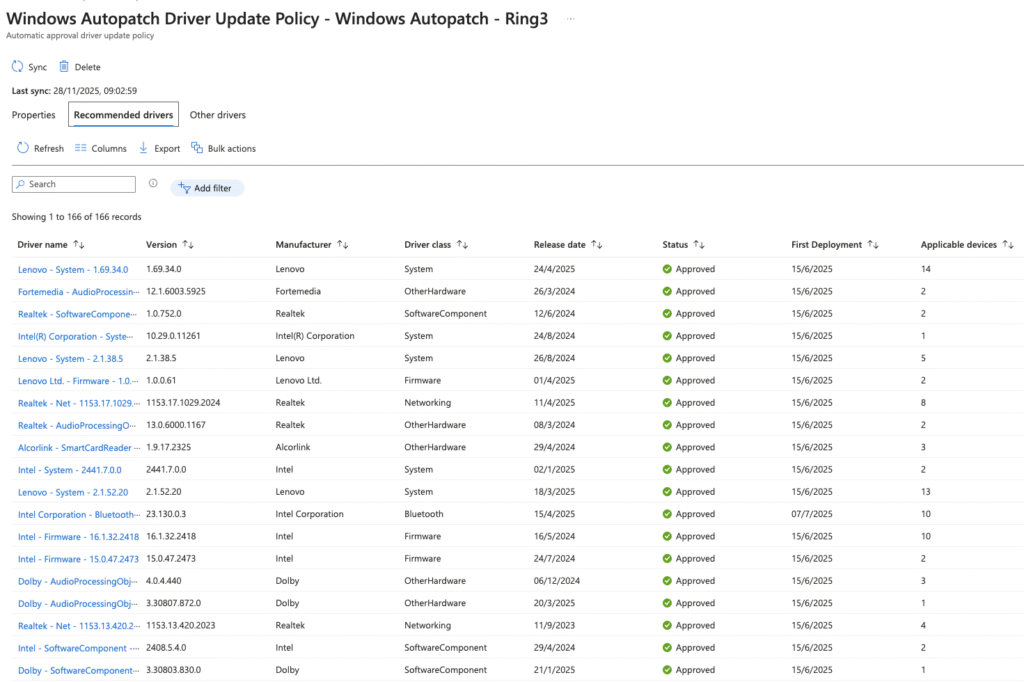
Autopatch manages quality and feature updates, as well as select driver and firmware updates. IT admins can define policies for how these updates are approved and deployed, minimizing unexpected hardware conflicts.
Integration with Intune and Entra ID
Autopatch is tightly integrated with Microsoft Intune for policy enforcement and reporting. It leverages Microsoft Entra ID for identity, group assignment, and device targeting. This native integration simplifies deployment and lifecycle management.
New Features Announced at Microsoft Ignite
The November 2025 Ignite conference introduced several key enhancements to Autopatch:
Update Readiness (Preview)
Update Readiness offers a pre-update diagnostic that assesses device compatibility, app readiness, and known issues. Admins gain early visibility into potential blockers, enabling proactive remediation before rollout.
Improved Reporting and Rollout Visualization
A new visual dashboard provides real-time insight into update progress across rings. IT can quickly assess rollout status, failure trends, and affected endpoints.
Device Health Insights
During update cycles, Autopatch surfaces device health metrics such as reboot success rates, install durations, and error conditions. This telemetry helps IT teams triage problems early and take targeted action.
Update Orchestration Enhancements
Rollouts now include smarter sequencing and retry logic. Autopatch adjusts pacing based on device health signals and service intelligence, improving reliability.
A Component of Resilience-by-Design
Microsoft positions Autopatch as part of a broader “resilience-by-design” approach. Alongside Quick Machine Recovery and cloud restore features, Autopatch forms the foundation of a self-healing Windows update ecosystem.
Deep Dive: Quick Machine Recovery (QMR)
What Is QMR?
Quick Machine Recovery enables a device with post-update boot issues to enter Windows Recovery Environment (WinRE), connect to the cloud, and download remediation packages from Microsoft.
How QMR Works
When a critical boot failure is detected, QMR triggers automatically. The device enters WinRE, establishes internet connectivity, and downloads a signed recovery payload designed to address known update-related issues.
Traditional Startup Repair vs. QMR
Unlike legacy Startup Repair, which relies on local system files, QMR delivers cloud-sourced remediation logic tailored to the update failure. This improves repair accuracy and success rates.
Why QMR Matters for Autopatch
QMR significantly reduces mean time to recovery (MTTR) for failed update scenarios. Autopatch can manage and deploy QMR packages proactively, improving overall update reliability and reducing helpdesk escalations.
Limitations
QMR is not a full rebuild or reimage. It offers targeted fixes, requires internet access, and is best effort. Devices with deeper hardware or firmware issues may still require manual intervention.
Architecture Overview
Autopatch Service Components
- Autopatch Orchestrator: Central service that coordinates update rollout.
- Telemetry Engine: Ingests device health and update signals.
- Policy Enforcement via Intune: Applies update settings and monitors compliance.
Integration Points
- Windows Update for Business: Underlying delivery mechanism.
- Intune: Management and policy enforcement.
- Entra ID: Group-based targeting and authentication.
- Windows Update Telemetry: Feedback loop for rollout decisions.
Data Flow (High-Level)
- Microsoft defines update release.
- Autopatch evaluates release readiness.
- Devices receive policy via Intune.
- Updates deploy via WUfB.
- Devices report status and health back to the Autopatch service.
Admin vs. Microsoft Control
Admins retain visibility, policy customization, and ring configuration. Microsoft handles orchestration, telemetry analysis, and service tuning.
Setup & Onboarding
Prerequisites
- Licenses: Windows E3 or higher, Intune.
- Intune Configuration: MDM authority set to Intune.
- EntraID: Devices must be hybrid or Azure AD joined.
Permissions
Global Administrator or Intune Administrator role is required for onboarding.
Device Enrollment Flow
Devices are grouped and assigned to rings based on dynamic groups or tagging. Autopatch automatically evaluates suitability.
Ring Assignment Logic
Default logic uses device role and deployment risk. Admins can override with custom group membership.
Verification
Autopatch runs health checks using Windows Update Health Tools and telemetry before devices receive updates.
Best Practices
Start with a pilot group in the Test ring. Validate app compatibility and system stability before expanding to broader rings.
Operational Model
Ring Progression
Updates begin in Test and advance through First, Fast, and Broad. Advancement depends on success metrics like install rate, failure signals, and device health scores.
Monitoring and Evaluation
Admins use the Autopatch dashboard to monitor progress. The service surfaces rollback signals, error clusters, and device anomalies.
Guardrails and Pauses
Autopatch includes predefined pause conditions (e.g., >1% failure in ring). IT can also manually pause or defer updates.
Driver and Firmware Update Handling
Autopatch supports driver update policies. Admins can approve or defer drivers based on vendor stability.
Admin Workflows
Recommended workflow includes:
- Weekly dashboard reviews
- Pre-update readiness checks
- Monitoring failure trends
- Incident response planning using QMR data
Real-World Considerations and Lessons Learned
When Autopatch Works Best
Ideal for:
- Modern, cloud-managed environments
- Organizations with standardized hardware
- IT teams prioritizing automation and security
Limitations and Challenges
- Legacy apps with tight OS coupling
- Devices with outdated drivers or BIOS
- Limited internet connectivity in some regions
- Organizational resistance to update automation
Governance and Change Management
Autopatch must be incorporated into broader ITSM and change-control processes. Communication and stakeholder buy-in are key.
Endpoint Security Integration
Autopatch integrates well with Defender for Endpoint, Intune compliance policies, and Conditional Access. These should be aligned with update cadences.
Using Update Readiness
Update Readiness allows admins to spot problem devices, those with app conflicts, hardware flags, or prior update failures, before rollout.
Thoughts and Future Outlook
Autopatch is a core pillar of Microsoft’s resilient endpoint strategy. As Windows evolves into a service with continuous innovation, automated update pipelines are becoming non-negotiable.
With QMR, cloud rebuild, and restore points, Microsoft is moving toward self-healing endpoints. These features will gain importance with Windows 11 25H2 and future cloud-first OS models.
Looking ahead, Autopatch may expand into more granular update types (e.g., security-only rollouts), tighter app compatibility checks, and broader integration with analytics platforms.
Conclusion
Windows Autopatch represents a strategic shift in how enterprises manage client updates. It combines orchestration, telemetry, and automation to improve reliability and reduce overhead.
Recent Ignite announcements, especially Update Readiness and QMR, further enhance its value proposition. As update failures become less tolerable and IT headcount remains constrained, Autopatch provides a scalable way to keep Windows devices secure and current.
For modern organizations, automated update resilience is not just a convenience, it’s the new baseline.