Conditional Access is not just another security feature in Microsoft’s portfolio – it’s a cornerstone of any modern Zero Trust strategy. But deploying it effectively requires more than technical know-how. It demands a structured, strategic approach that balances security, user experience, and scalability.
This article outlines a practical, persona-based framework I use when implementing Microsoft Entra Conditional Access with clients. The goal is to create a clear, maintainable, and future-proof access model that minimizes risk without compromising productivity.
Step 1: Start with a Global Deny-by-Default Policy
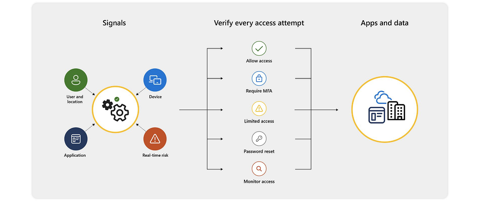
Many organizations begin Conditional Access implementation by protecting specific applications or roles. While understandable, this can leave gaps. Instead, reverse the logic: protect everything by default, and explicitly allow access based on known, trusted conditions.
I recommend starting with a global policy that blocks all access not explicitly allowed through defined persona-based policies. This ensures:
- New users and apps don’t gain unintended access
- Policies cover both known and unknown risks
- Accidental exclusions are prevented
Key Principle: Every identity must be covered by at least one Conditional Access policy.
Step 2: Define Personas Based on Risk and Access Needs
Personas are logical groupings of users based on behavior, risk profile, and access requirements – not just job titles or departments. This abstraction simplifies policy design and ensures consistency across the organization.
Common personas include:
| Persona | Description | Typical Controls |
|---|---|---|
| Admins | Users with elevated privileges | Phishing-resistant MFA, compliant device, 8-hour session |
| Internal Users | Standard employees within the organization | MFA and/or device compliance, 7-day session |
| Guests & Externals | Users outside the organization (partners, B2B collaborators) | Terms of Use, limited access, session control, 24-hour session |
| Service Accounts | Non-human accounts for automation or backend processes | Restrict by location/risk (MFA not supported) |
| Workload Identities | App identities or service principals | Restrict by location/risk, conditional access app controls |
| Global | Catch-all for any identity not explicitly mapped to a persona | Deny access or apply strictest controls |
By anchoring policy design to personas, you enable scalable access management that can evolve with your organization.
Step 3: Layer Your Policies for Flexibility and Clarity
Instead of building monolithic policies, break them down into modular policy types, each focused on a specific control objective. This allows for easier management and clearer auditing.
| Policy Type | Purpose |
|---|---|
| BaseProtection | Core access policy per persona |
| IdentityProtection | Protect against compromise (e.g., block legacy auth, trigger MFA on risk) |
| DataProtection | Secure sensitive data with session controls, app restrictions, etc. |
| AppProtection | Apply special handling for high-risk or sensitive applications |
| AttackSurfaceReduction | Block access from unknown platforms, risky locations, or threat indicators |
Example: A policy stack for Admins might include BaseProtection, IdentityProtection, and AttackSurfaceReduction.
This layered approach provides depth in defense while maintaining flexibility.
Step 4: Implement a Consistent Naming and Numbering Standard
To maintain transparency and scale effectively, every policy should follow a consistent naming and numbering scheme based on persona and policy type.
| Persona Group | CA Number Range |
|---|---|
| Global | CA000 – CA099 |
| Admins | CA100 – CA199 |
| Internal Users | CA200 – CA299 |
| External Users | CA300 – CA399 |
| Guest Users | CA400 – CA499 |
| Service Accounts | CA500 – CA599 |
| Workload Identities | CA600 – CA699 |
Example policy name:
CA101-AllKnownPersona-BaseProtection-AllApps-AnyPlatform-MFA
Purpose: Enforce MFA for all users across all cloud apps except emergency break-glass.
CA102-AllKnownPersona-BaseProtection-AllApps-AnyPlatform-BlockLegacyAuth
Purpose: Block legacy authentication globally.
CA103-AllKnownPersona-BaseProtection-AllApps-CompliantOrMDfE-MFA
Purpose: Require compliant device or MDE risk level “Low”.
This format ensures quick readability and simplifies collaboration across IT and security teams.
Step 5: Monitor, Evaluate, and Adjust
Implementation is just the beginning. Conditional Access policies must be actively monitored and adjusted as the environment changes.
Recommended practices include:
- Regular review of sign-in logs in Microsoft Entra
- Use of dashboards or Entra Workbooks for visual policy impact analysis
- Adjust policies based on behavioral trends and threat intelligence
This continuous feedback loop ensures the framework stays effective over time.
Final Thoughts: It’s a Framework, Not a One-Off
Conditional Access is not just about controlling logins – it’s about building a transparent, scalable identity control strategy that aligns with Zero Trust principles.
By:
- Starting with a deny-by-default mindset
- Defining access through personas
- Applying layered, modular policies
…you create a secure, structured, and sustainable access control platform.
This is my recommended framework, but there’s no one-size-fits-all. What matters most is that your Conditional Access design is structured, intentional, and tailored to your organization’s reality.